From within the Calculator Editor Info Tab, you will first need to give your calculator a name. The name will have to be unique to any other token (calculator, equation, constant or dataset) in your space. 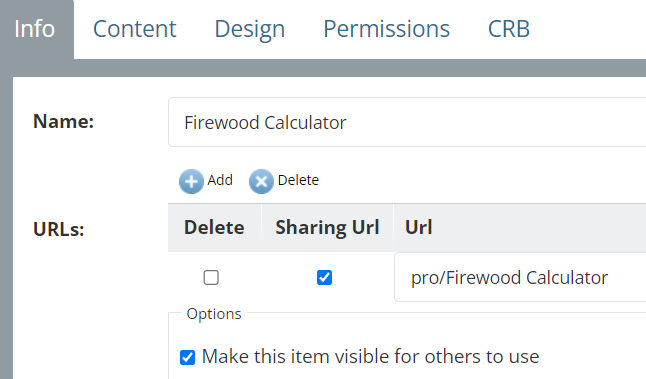 Calculator Editor : Info Tab
You will notice that there is a button on the Info tab under Options to “Make this item visible for others to use”. If you choose this option, your calculator will be available to any vCalc user and be part of the vCalc Public Library. We encourage you to share your knowledge and efforts by checking this box. If you leave this box unchecked, the Calculator will only be visible to you and then only when you are logged into vCalc. It will be your private Calculator.
Making a Calculator available to the public is up to you, and your calculator is yours alone unless you choose to share it.
Summary Steps: Using the Info Tab
- Type a unique name for the title of the new Calculator (Advisable to end with the word Calculator or Calc).
- Leave the option for making the item visible (Public or shared) checked (by default).
- Later, when done with the Design option, you can check the option for including the item in Public Library.