 Duplicate is an easy way to create a new calculator. In this way, you can duplicate an existing calculator and modify it to your liking.
vCalc makes duplicating an existing calculator very easy to do. First find a calculator that you wish to duplicate. When you are on that calculator's page, you will notice several options (buttons). One option is Duplicate.

When you click the Duplicate button, a new window will pop up and you will be required to give your new calculator a name that is unique to your space. Your space is your personal list of equations, calculators, constants and datasets. The Duplicate function will copy the calculator's buttons and wiki content by checking the "Copy Content" box. After you have supplied a name and determined if you want to copy the wiki content, you can either go directly to the wiki by clicking "Copy & View" or edit the buttons on the calculator by clicking "Copy & Edit". 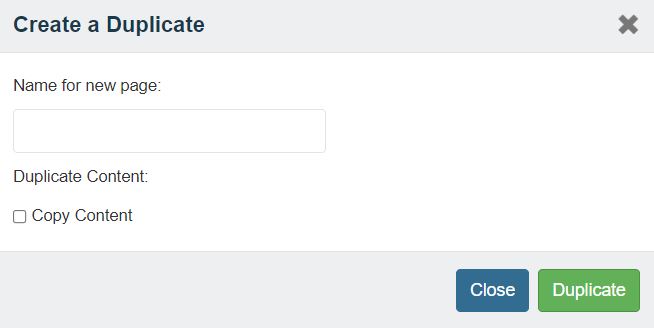
Duplicate lets you start with a copy of existing work. However, you can certainly start from scratch by creating an empty calculator (see next article).
Steps to Duplicate a Calculator
- Find a calculator you wish to duplicate
- Click on the "Duplicate" button at the top left of the wiki page.
- Type a unique name for the copy of the calculator in the pop up window that appears
- Click either on "Copy & View" to go directly to the wiki or "Copy & Edit" to edit the content
See how a calculator is duplicated or created from scratch in a YouTube video by clicking HERE.