Processing...
The Permissions Tab provides the capability to grant read, write and administrative permissions for your equation to other registered vCalc users. In this way, you can collaborate on the development or simply share your equations with individuals or groups in vCalc without making your Equation Public.
To add privileges for a user or group, click on the Add button. When you do, a row will appear in the section below with an empty box in the name columns. The box contains a pull-down list of all of your colleagues and groups in vCalc. Chose one and then click on the privilege you wish that entity to have:
- Read - Lets the entity see and use the equation.
- Write - Lets the entity overwrite or modify the equation.
- Admin - Lets the entity have the permission to give read and write privileges to others.
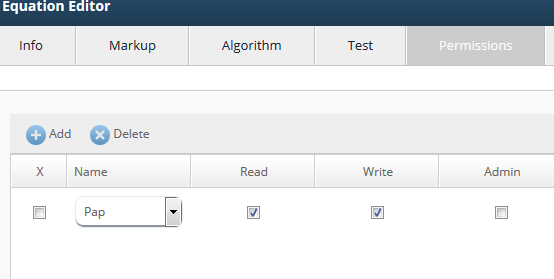 Equation Permission Tab Example