You can call equations and data items or used dataset information from within your equations and data items.
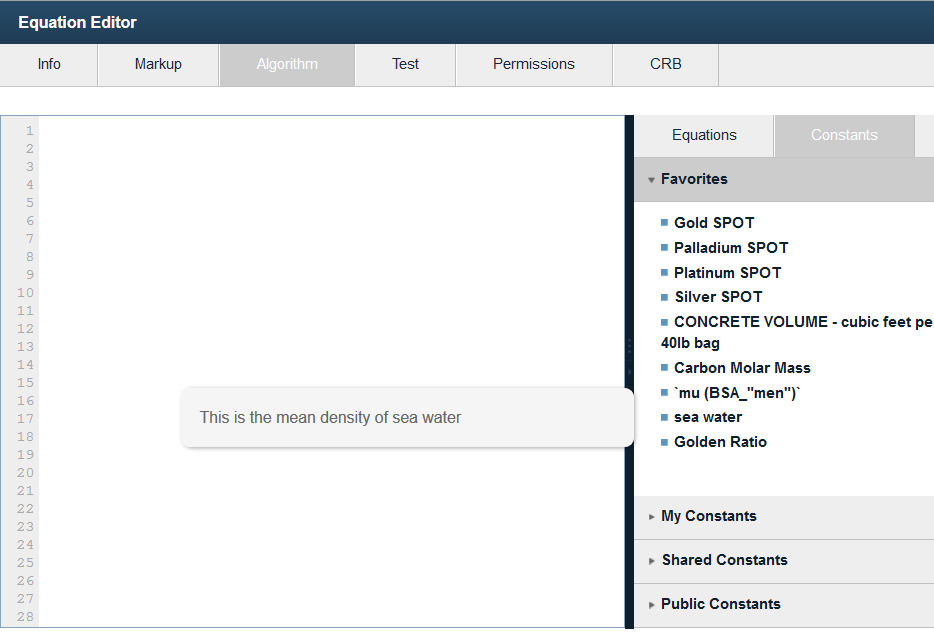 Find your constant or equation in the Equation Editor Algorithm Tab
It is very useful to call existing equations and data items within your equations and data items to save work and keep from replicating code over again. It is also useful and powerful to access data from vCalc datasets. vCalc keeps track of the data items, equations and datasets that you use and automatically provides a guide in your wiki to show what you have used.
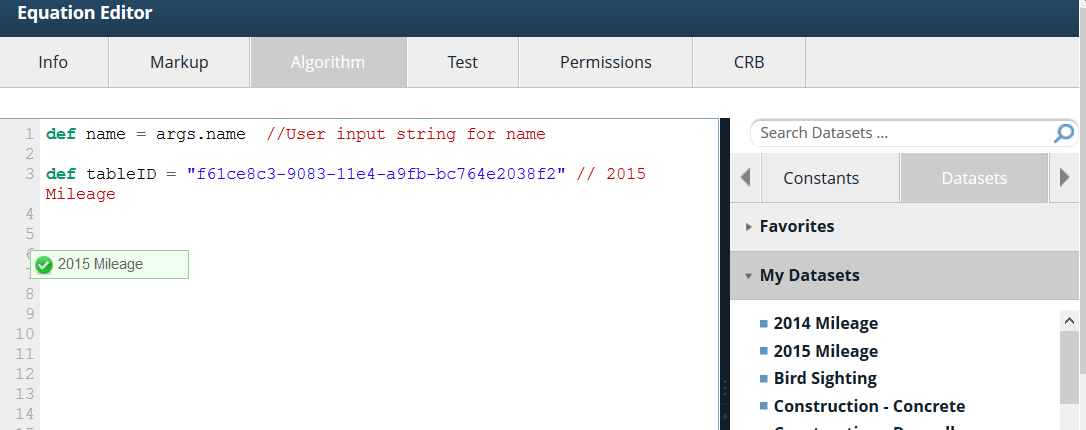 Drag the Table ID into the Algorithm window
How To
To use a other vCalc content in your equation or data item go to the algorithm tab in the appropriate editor (Equation Editor or Data Item Editor). In the tab, you will see a listing of available equations and data items on the right side of the algorithm window (see diagram). The list shows equations and data item from your library, those shared with you and those in the public library.  The equation or data item reference will be added to your algorithmUse the list to find the equation or data item that you want to use in your equation or data item.
Click and drag your choice into the algorithm window unit. Make sure it is over the line  Move the reference and assign to local variablenumbers on the far left side of the algorithm window and release. You will notice that the token has a red x while you're dragging it until you are over the line numbers when it turns to a green check. When you release the button, the equation or data item reference will be added to your algorithm on the last line. You may need to cut/copy/paste the reference to the right place in your algorithm.
If you have referenced an equation, there are likely to be input parameters. The names of those parameters are inside brackets (e.g. <input1>,<input2>). You can replace the names with actual numbers or with local variable from your algorithm. Note: make sure you eliminate the brackets <> when you make the substitution.
For datasets, the click and drag action will insert a line of code that includes the dataset's ID. All of the Dataset Functions require a "String uuid". This is the identifier. You can also see and copy the dataset ID in the wiki for the the dataset.
To See the working example equation (below) , click Weight of Sea Water in a pipe.
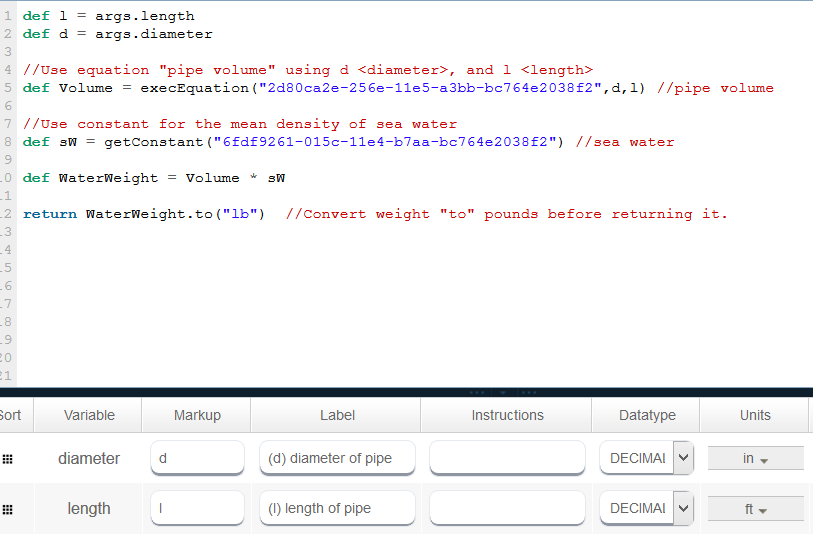 NOTE: The vCalc functions "getConstant()" and "getDataItems()" are identical in functionality. That have a UUID inside the parenthesis and call for the data item value.